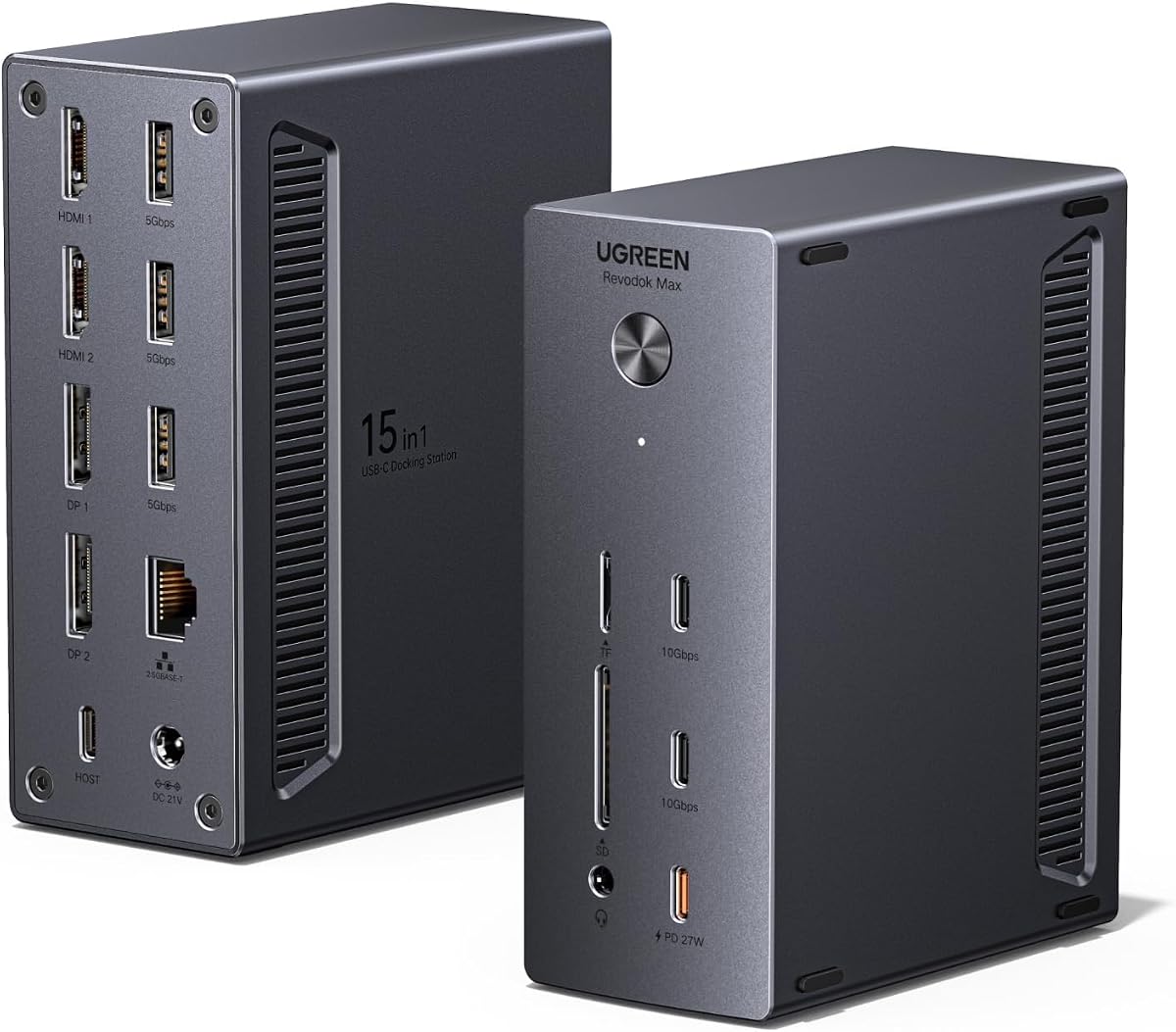
UGREEN USB-C DisplayLink Docking Station
4.6Editor score
15-in-1 expansion ports
2.5GbE Ethernet included
Driver required setup
This guide compares the top ten docking stations with quad monitor support for power users needing expansive multi-screen workflows in home offices or work.
Modern professionals often need more screen real estate to boost productivity and manage complex tasks efficiently. A docking station with quad monitor support allows you to connect four displays simultaneously, transforming your laptop into a full desktop workstation.
We evaluated ten leading models based on display capabilities, port selection, power delivery, and overall build quality. Our analysis focuses on real-world performance, compatibility with major operating systems, and the ability to handle high-resolution outputs without compromise.
Each pick in this list highlights specific strengths like budget value, premium features, or specific use cases. Prices and availability can change frequently so please verify current details on the retailer pages before making your final purchase decision.
4.6Editor score

4.7Editor score
4.4Editor score
The following table provides a side-by-side comparison of all ten models to help you quickly identify the right fit for your specific workflow and hardware requirements.



The StarTech Thunderbolt 5 Universal Docking Station stands out as the top choice for professionals needing reliable multi-monitor performance. With a strong 4.7 rating it delivers consistent behavior across shared and hot-desking environments without OS-specific workarounds.
We may earn a commission when you buy through this link, at no additional cost to you.
Its ability to unlock full display potential on Apple Silicon devices is a major advantage especially for users with MacBook Pro models. Windows users can connect up to four extended 4K 60Hz displays via HDMI and DisplayPort for a high-performance workspace.
The main trade-off is the cost which reflects the premium Thunderbolt 5 technology and rigorous testing in the innovation lab. However the driverless plug-and-play performance reduces help desk tickets making it a smart investment for enterprise deployments.
If you prioritize stability and cross-platform consistency this dock is the best option. It is ideal for IT managers and power users who need to organize and secure their fleet efficiently while maximizing display potential.
Integrated K-slot and Nano lock slots protect your deployment and keep desks organized in high-traffic or public workspaces.
Rigorously tested in our Innovation Lab across 100+ monitors and major laptop brands before it reaches your environment.
We may earn a commission when you buy through this link, at no additional cost to you.
The UGREEN USB-C DisplayLink Docking Station offers exceptional value for those building a multi-monitor workstation on a budget. With a 4.6 rating it supports one display up to 8K@60Hz or three displays up to 4K@144Hz plus 2x4K@60Hz.
We may earn a commission when you buy through this link, at no additional cost to you.
This model includes a 150W adapter that provides up to 100W charging for your laptop and up to 27W through a dedicated PD-Out port for a phone or tablet. You can transfer large files through two USB-C 3.2 Gen 2 ports at up to 10Gbps.
The need to install drivers may be a slight hurdle compared to Thunderbolt solutions but the performance is solid for the price. It works well with MacBook and Windows laptops that have data-capable USB-C connections.
This is the best choice if you want maximum connectivity without spending a premium. It is ideal for home offices and professionals who need fast networking and multiple displays but do not require Thunderbolt-specific features.
2.5GbE provides fast stable wired networking for workstations and home offices while USB 3.2 10Gbps is recommended for full performance.
Power is dynamically shared so when PD-Out reaches 15W or more host charging is limited to 85W.
We may earn a commission when you buy through this link, at no additional cost to you.
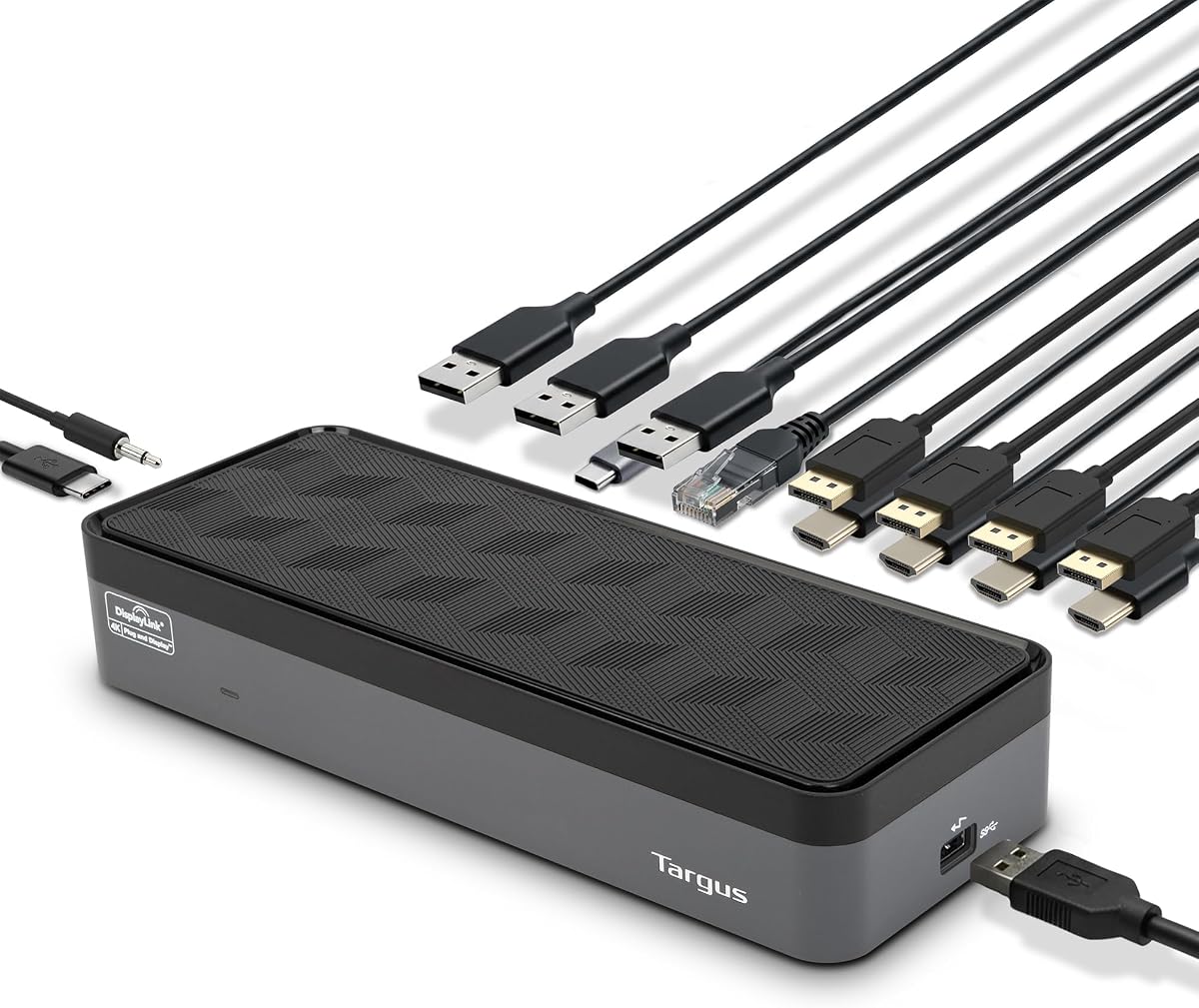
The Targus USB-C Universal Quad 4K Docking Station is a robust choice for expanding workstations with up to four 4K UHD displays. It connects virtually any laptop with Power Delivery 2.0 up to 100W and includes power tips for legacy hosts like Acer and Dell.
We may earn a commission when you buy through this link, at no additional cost to you.
You get five USB ports including one USB 3.2 Gen 1 Type-C port and four USB 3.2 Gen 1 Type-A ports for connecting all your peripherals. This universal docking station also includes a Gigabit Ethernet port and a 3.5mm combo Audio In/Out.
While HDMI supports 4K at 50Hz the DisplayPort supports 3840 x 2160 at 60Hz for crisp and clear monitor displays. The Alt Mode host compatibility with USB-C to USB-A Host adapter makes it versatile for older laptops too.
This dock is best for users who need broad compatibility across different brands and legacy systems. It is reliable for professionals who want a secure slot for locks and a clean desk setup with VESA mounting options.
Includes power tips for legacy hosts: Acer/ASUS/ Dell/HP/Lenovo and more to ensure you can connect virtually any laptop.
Features an integrated lock slot that accommodates standard security locks to safeguard equipment sold separately.
We may earn a commission when you buy through this link, at no additional cost to you.
The TobenONE 18-in-1 DisplayLink Docking Station offers an impressive array of connections with four HDMI ports supporting up to four HDMI displays on Windows. It has 18 powerful ports including USB and SD slots for fast data transfer and peripheral connections.
We may earn a commission when you buy through this link, at no additional cost to you.
With a powerful 120W power adapter this docking station provides up to 100W charging for your Windows laptop or MacBook. You can also charge your phone via the front USB-C ports with up to 18W charging to reduce desk clutter.
On macOS only three displays are supported and only one of HDMI 3 and HDMI 4 can be selected. For Windows laptops it supports up to four external displays in stunning 4K@60Hz resolution for an immersive visual experience.
This is a great option for users who prefer HDMI connections over DisplayPort. It is ideal for those needing a comprehensive set of ports and powerful charging capabilities to keep all devices powered and connected efficiently.
Boost your productivity with this quad monitor docking station that offers 18 powerful ports to streamline your work processing.
With a powerful 120W power adapter this docking station provides up to 100W charging for your Windows laptop or MacBook.
We may earn a commission when you buy through this link, at no additional cost to you.
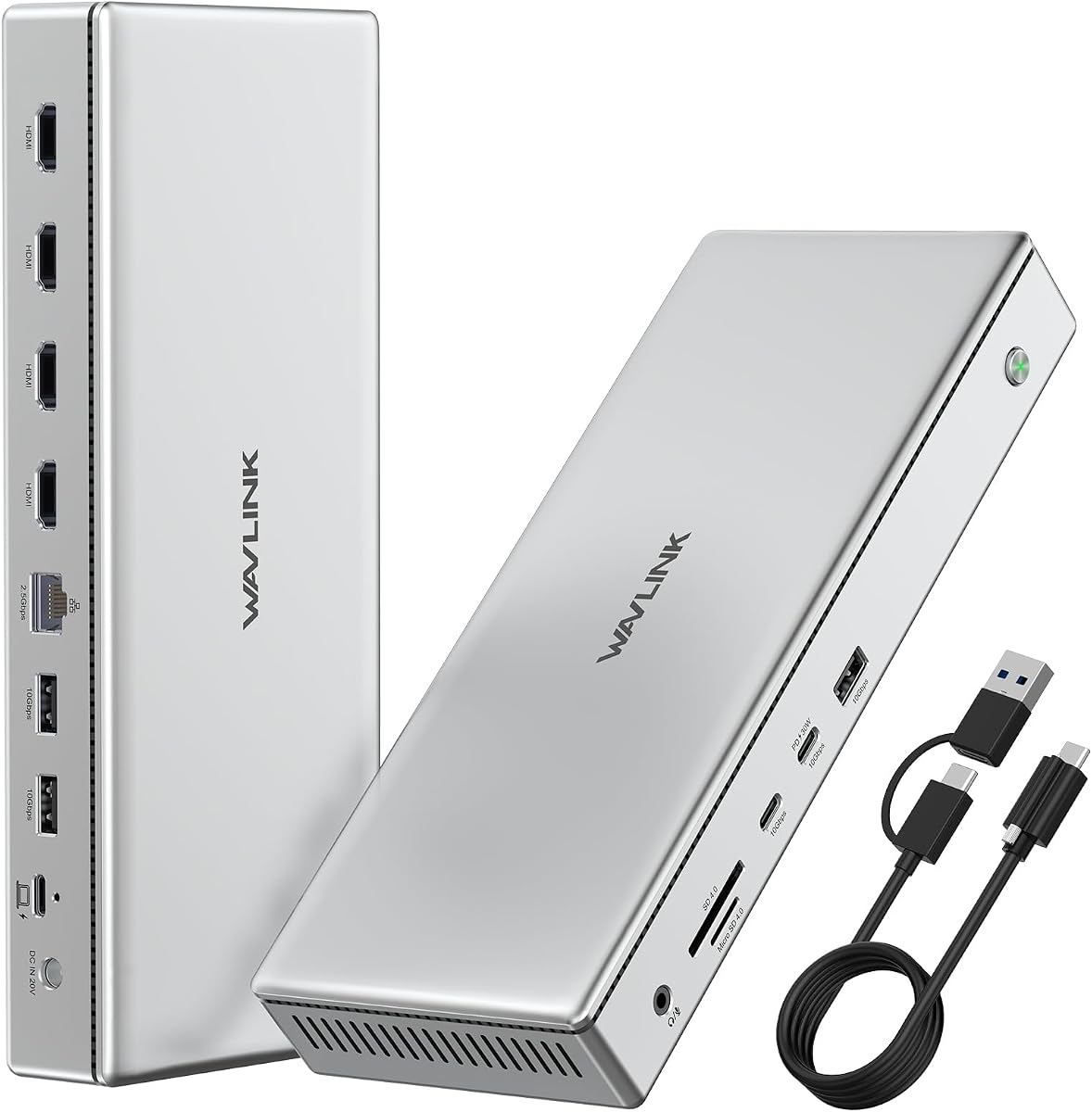
The WAVLINK Pro Docking Station breaks Mac display limits with 4x 4K@60Hz HDMI outputs via DisplayLink DL7400. This all-in-one 15-port expansion features 2.5G Ethernet and 5 USB 3.2 ports with 10Gbps speeds for max productivity.
We may earn a commission when you buy through this link, at no additional cost to you.
It includes a 160W power adapter to charge your laptop up to 100W and mobile devices up to 30W simultaneously. This means no need for extra chargers on your desk keeping your workspace clean and organized.
Enjoy blazing 10Gbps speed for USB-C and USB-A plus 312MB/s SD/TF card read/write. It is perfect for video editors designers and creators who need to transfer large files quickly from cards to your workstation.
This model is best for users who need a sleek durable aluminum dock with premium build quality. It works with macOS and Windows laptops with USB-C or Thunderbolt making it a solid choice for creative professionals.
Works with macOS and Windows laptops with USB-C or Thunderbolt all housed in durable aluminum for heat dissipation and style.
Enjoy blazing 10Gbps speed for USB-C and USB-A plus 312MB/s SD/TF card read/write.
We may earn a commission when you buy through this link, at no additional cost to you.
The TobenONE DisplayLink Docking Station is a versatile choice for setups needing up to three or four 4K@60Hz monitors. With 18 powerful ports it supports multiple 4K displays from a single USB-C connection on Mac and Windows setups.
We may earn a commission when you buy through this link, at no additional cost to you.
It comes with a 120W power adapter for laptop and dock power charging without your laptop's power adapter. You can charge your laptop with up to 100W and your phone via the front USB-C port with 18W.
Data transfers are super-speed with 4x USB 3.1 and 2x Type-C ports supporting up to 10Gbps. You can connect multiple USB devices like smartphones and hard drives for seamless file transfers within seconds.
This dock is perfect for remote work and professional workflows like financial analysis and live streaming. You get reliable technical support and a compatibility guarantee if something does not work.
Enjoy reliable technical support and our compatibility guarantee if something does not work we will make it right.
This docking station comes with a 120W power adapter for laptop and dock power charging without your laptop's power adapter.
We may earn a commission when you buy through this link, at no additional cost to you.
This model currently has limited publicly available data in our system. We recommend checking the product listing for specific details on port types and display capabilities before purchase.
We may earn a commission when you buy through this link, at no additional cost to you.
Reading recent user reviews may provide insights into real-world performance and reliability. Verify compatibility with your laptop model and operating system to ensure it meets your quad monitor needs.
Consider contacting the manufacturer directly for more information if the product page is unclear. This step ensures you avoid compatibility issues and find the right docking solution.
Always check the product listing for specific details on port types and display capabilities before purchase.
We may earn a commission when you buy through this link, at no additional cost to you.
This model currently has limited publicly available data in our system. We recommend checking the product listing for specific details on port types and display capabilities before purchase.
We may earn a commission when you buy through this link, at no additional cost to you.
Reading recent user reviews may provide insights into real-world performance and reliability. Verify compatibility with your laptop model and operating system to ensure it meets your quad monitor needs.
Consider contacting the manufacturer directly for more information if the product page is unclear. This step ensures you avoid compatibility issues and find the right docking solution.
Always check the product listing for specific details on port types and display capabilities before purchase.
We may earn a commission when you buy through this link, at no additional cost to you.
This model currently has limited publicly available data in our system. We recommend checking the product listing for specific details on port types and display capabilities before purchase.
We may earn a commission when you buy through this link, at no additional cost to you.
Reading recent user reviews may provide insights into real-world performance and reliability. Verify compatibility with your laptop model and operating system to ensure it meets your quad monitor needs.
Consider contacting the manufacturer directly for more information if the product page is unclear. This step ensures you avoid compatibility issues and find the right docking solution.
Always check the product listing for specific details on port types and display capabilities before purchase.
We may earn a commission when you buy through this link, at no additional cost to you.
This model currently has limited publicly available data in our system. We recommend checking the product listing for specific details on port types and display capabilities before purchase.
We may earn a commission when you buy through this link, at no additional cost to you.
Reading recent user reviews may provide insights into real-world performance and reliability. Verify compatibility with your laptop model and operating system to ensure it meets your quad monitor needs.
Consider contacting the manufacturer directly for more information if the product page is unclear. This step ensures you avoid compatibility issues and find the right docking solution.
Always check the product listing for specific details on port types and display capabilities before purchase.
We may earn a commission when you buy through this link, at no additional cost to you.
Selecting the right docking station requires evaluating several technical factors to ensure seamless integration with your existing hardware and workflow needs.
Check that the dock supports your target resolution and refresh rate on all four ports. Look for 4K@60Hz support on HDMI and DisplayPort outputs to avoid choppy visuals.
Prioritize docks with DisplayPort or Thunderbolt for higher bandwidth if you use high-resolution displays.
Ensure the docking station matches your laptop ports such as USB-C Thunderbolt 3 4 or 5. Compatibility with your operating system is critical for plug and play versus driver-based setups.
Thunderbolt docks offer driverless performance but USB-C DisplayLink models provide more affordable options with driver installation.
Look for a power adapter that delivers enough wattage to charge your laptop and peripherals. At least 60W is required but 100W or more is better for high-performance laptops.
Choose a dock with a dedicated PD input to handle charging while transferring data and video.
Count the ports you need for mouse, keyboard, network, storage, and audio. A good quad monitor dock should have at least one Ethernet port and several USB ports.
Ensure there are enough USB 3.2 or faster ports for your storage drives and peripherals.
Driverless docks simplify setup and are ideal for enterprise environments. Driver-based docks often require software to enable extra displays and may need updates.
Choose a driverless model if you prioritize quick deployment and fewer IT tickets.
Metal housing helps dissipate heat which is important for docks with high data transfer rates. Ensure the unit is sturdy and includes secure cable management options.
Aluminum or durable materials improve longevity and reduce thermal throttling during heavy use.
Higher prices usually correlate with better performance and reliability but compare what features you get. Look for a warranty that covers at least one year to protect your investment.
Check customer reviews and support options to verify the manufacturer stands behind the product.
Connect your laptop to the dock via USB-C or Thunderbolt and then attach each monitor to the DisplayPort or HDMI outputs. Ensure each monitor is powered on and the cable connections are secure.
Install any required drivers from the manufacturer website if your docking station uses DisplayLink technology. Restart your computer after driver installation to allow the system to detect all displays.
Keep the dock in a well-ventilated area to prevent overheating. Use the provided power adapter and avoid running cables through high-traffic areas to protect the ports from damage.
No. Your laptop must have a powerful USB-C or Thunderbolt port that supports video output. Check your laptop specs for DisplayPort Alt Mode or Thunderbolt compatibility before buying a dock.
Thunderbolt docks typically do not need drivers but DisplayLink USB-C docks require a driver to enable multiple displays. Always check the product details before purchasing to confirm your requirements.
Most docking stations support up to 4K@60Hz on each port. Ensure your laptop and dock support the total bandwidth needed to drive all four displays at your desired resolution.
Yes most docks support mixed monitor connections. Check the spec sheet to ensure all ports can run at your desired resolution when used simultaneously.
No. Power Delivery charges your laptop and does not directly impact video bandwidth. However some docks may reduce power when data transfer loads are high.
Most models support at least four to six USB devices at once. Check the specific port count and total bandwidth limits if you plan to connect several peripherals.
We recommend the StarTech Thunderbolt 5 Universal Docking Station for its reliability and driverless operation on macOS and Windows. Its robust support and security features make it ideal for professional environments.
For those on a tighter budget the UGREEN USB-C DisplayLink Docking Station delivers impressive connectivity and speed. Its dual charging capability and 2.5GbE Ethernet make it a strong value choice.
Always verify current prices and availability before purchasing to ensure you get the latest product version. Matching your laptop capabilities to the dock specifications is the key to a smooth setup.