
VSD Mini Macro Pad
4.1Editor score
Six customizable LCD keys
Compact portable design
RGB ambient lighting bars
This guide compares the top macro pads for streaming to help you find the best deck for OBS, Twitch, and YouTube workflows.
Streaming requires precise control over software, audio, and scenes in real time. A macro pad for streaming gives you dedicated keys to execute complex actions without reaching for keyboard shortcuts. These devices streamline your workflow and reduce errors during live broadcasts.
We evaluated ten popular stream controllers based on key customization, software compatibility, build quality, and visual feedback. Each product was assessed for its ability to integrate with OBS, Twitch, and other creative tools. This list covers options for beginners and professionals alike.
Each pick highlights unique strengths like LCD screens, RGB lighting, or audio control features. Ratings reflect user feedback and performance reliability. Keep in mind that product availability and pricing can change rapidly online so verify details before purchasing.
4.1Editor score
4.6Editor score

4.8Editor score
This side-by-side comparison highlights the core specifications and capabilities of each streaming deck to help you choose the right tool for your setup.





The VSD M18 Macro Pad offers 18 programmable keys including LCD visuals to streamline streaming workflows. It supports Windows and macOS with USB-C connectivity for plug-and-play setup. Users appreciate the visual feedback from LCD keys that show custom images and animations.
We may earn a commission when you buy through this link, at no additional cost to you.
This deck allows single tap control for launching apps or switching OBS scenes efficiently. The RGB surround light ring adds ambiance to your setup. It integrates seamlessly with popular software like OBS, Streamlabs, and Discord. Built-in plugins like weather and calendar add extra utility.
While it lacks native Linux support, SDK documentation allows for custom development. The RGB features require a firmware upgrade for customization. These minor limitations are acceptable given the extensive functionality and price point.
Streamers and gamers looking for a versatile deck with many keys will find this device suitable. It balances cost with performance effectively. Consider this for daily production work or live streaming needs.
LCD keys accept JPG PNG and GIF files so you can see exactly what each action does before pressing.
Built-in modules like clock and schedule reminders help manage time during long streams without switching windows.
We may earn a commission when you buy through this link, at no additional cost to you.
The Stream Dock N1 features a vertical design that saves desktop space compared to horizontal decks. It offers three modes including calculator and numeric keypad for versatile use. The layout is ergonomic for left-hand operation and integrates well with Windows and macOS.
We may earn a commission when you buy through this link, at no additional cost to you.
Users can drag files or apps directly to the 15 LCD keys for instant access. This reduces time searching through menus during live sessions. The availability of hundreds of plugins enhances its functionality for productivity and streaming tasks.
The vertical form factor might take adjustment if you prefer horizontal layouts. Relying on third-party plugin markets adds steps to setup. However the two-year warranty offers reassurance for long-term use.
Ideal for tight desk setups needing extra keys without clutter. The calculator mode adds utility for office work too. This deck is a strong contender for efficiency-focused users.
The upright design frees up horizontal desk space allowing room for microphones or other peripherals.
Switch between shortcut, calculator, and numeric keypad modes to adapt the device to different tasks easily.
We may earn a commission when you buy through this link, at no additional cost to you.
This VSD M18 controller delivers 18 customized macro keys for detailed workflow control. The one-touch operation ensures quick access to scenes or apps. Its compatibility extends to Windows 11 and macOS 11.0 via USB-C connection.
We may earn a commission when you buy through this link, at no additional cost to you.
The surrounding RGB light ring creates an immersive environment for late-night streams. Users can personalize icons with images and animations for clarity. Plugins like weather and calendar assist daily productivity tasks alongside content creation.
Software installation is required which adds a small setup hurdle. RGB customization depends on firmware updates that may vary by version. These are standard limitations in the budget streaming deck market.
Recommended for creators needing multiple macros and visual feedback. The balance of features and price makes it attractive. Use it to reduce repetitive clicks during editing or broadcasting.
Assign single or series of actions to keys to execute complex sequences with a single press.
Custom RGB colors match your brand or mood adding professional polish to your stream overlay.
We may earn a commission when you buy through this link, at no additional cost to you.
The VSD Mini Macro Pad packs 6 customizable LCD keys into a portable form factor. It supports one-tap shortcuts for scene switching and media control. The dual side RGB light bars provide ambient lighting without taking much space.
We may earn a commission when you buy through this link, at no additional cost to you.
This device works with Windows and macOS via USB. Linux users can adapt it using open-source SDK files. It functions as a gaming controller or office keypad depending on need. Software updates are free and supported.
The limited number of keys restricts complex workflows compared to larger models. Software installation is mandatory rather than plug-and-play. These trade-offs suit smaller setups or specific task automation.
Great for travelers or those with limited desk space. Use it for essential streaming controls or quick productivity boosts. It remains a practical tool for focused tasks.
Mini size ensures it fits in travel bags or on crowded desks without obstruction.
Side light bars add style without distracting from the main screen or camera frame.
We may earn a commission when you buy through this link, at no additional cost to you.
The VSD N4 Pro stream controller offers 10 LCD keys and 4 RGB knobs for precise audio adjustments. It supports USB sound deck functionality to trigger sound effects. The ergonomic stand allows comfortable viewing angles for long sessions.
We may earn a commission when you buy through this link, at no additional cost to you.
Users can set scene presets to switch between streaming editing and gaming instantly. The passive USB dock adds extra ports for peripherals. Custom icons with GIF support improve visual recognition of actions.
The lack of built-in speakers means external audio handling is needed. Higher cost may be prohibitive for beginners. However the tactile controls offer value for audio-heavy workflows.
Ideal for streamers who manage complex audio environments. The knobs provide immediate tactile feedback. Consider this if audio mixing is a priority in your production.
Knobs allow precise volume or parameter adjustments without digging into software menus during live streams.
USB dock expands connection options for mice and drives keeping your desk organized.
We may earn a commission when you buy through this link, at no additional cost to you.
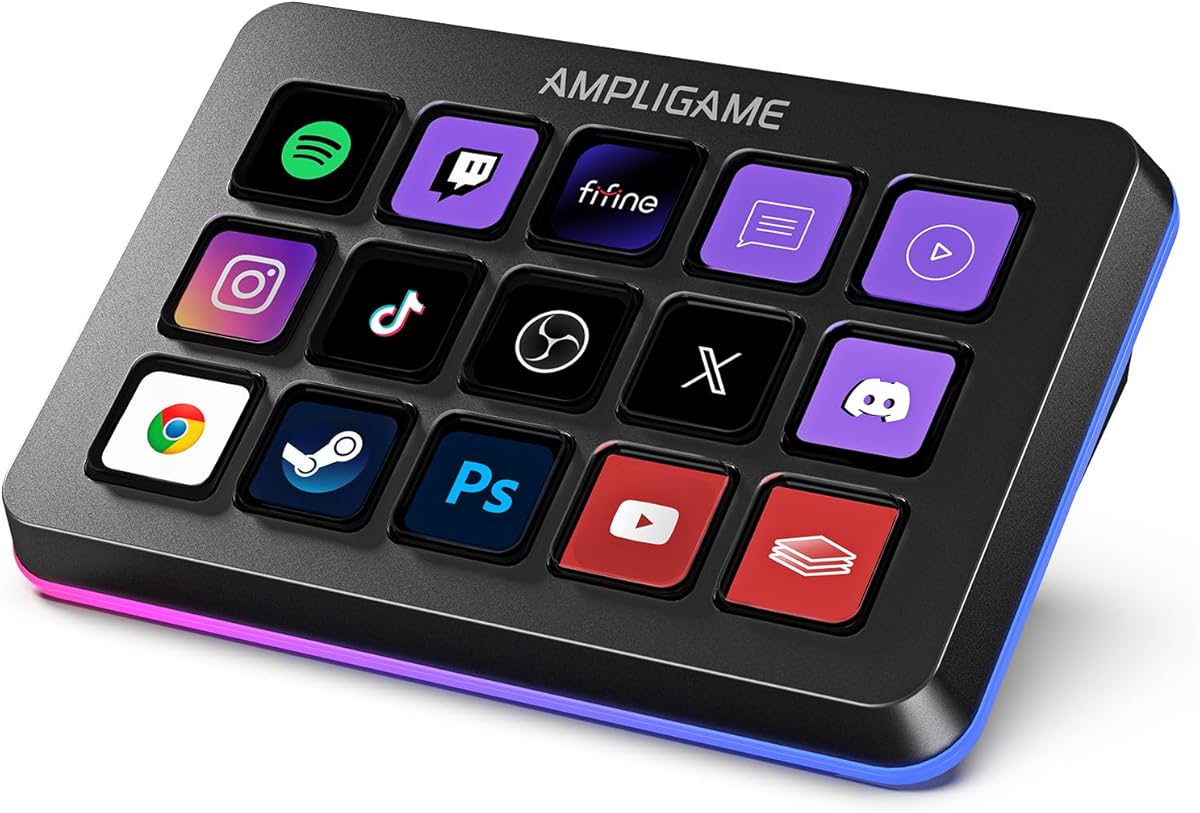
The fifine D6 RGB Macro-Keyboard features 15 programable buttons for comprehensive control. Its visual keypad shows app icons directly on the device. The RGB ring enhances gaming setups with vivid customizable modes.
We may earn a commission when you buy through this link, at no additional cost to you.
Plugins and icons can be managed via the console store. Drag-and-drop functionality simplifies setup significantly. It supports major streaming platforms like Twitch and YouTube alongside productivity tools.
Users must ensure firmware is updated before first use to avoid issues. Some third-party connections need active subscriptions. These steps are manageable for experienced users.
Recommended for streamers who prioritize visual clarity and RGB aesthetics. The visual feedback reduces errors during broadcast. Use it to streamline complex multi-tasking workflows.
Seeing the app icon on the key ensures you trigger the correct action every time.
RGB modes match your stream branding or gaming theme for a professional look.
We may earn a commission when you buy through this link, at no additional cost to you.
This controller offers 18 customizable keys with support for dynamic animated icons. It includes numeric keypad and calculator modes beyond standard shortcuts. The VSD Craft software makes assigning functions intuitive.
We may earn a commission when you buy through this link, at no additional cost to you.
Users can create dedicated scenarios for work or live streaming. Thousands of plugins allow control over Discord and Twitch easily. Animated icons make the interface vibrant and engaging compared to static ones.
Spotify integration requires a premium account which may limit music features. Installation of specific software adds a step to setup. These are minor compared to the functionality offered.
Best for those who want animated visuals and multiple modes. It suits office and creative work alike. Consider this for a versatile all-in-one deck.
Dynamic icons can show progress or status giving real-time visual feedback on actions.
Switch to calculator mode for quick math without leaving your browser.
We may earn a commission when you buy through this link, at no additional cost to you.
The Streonor S15 includes 15 customizable LCD keys plus three non-touch status panels. These panels display CPU temperature weather or time instantly. Preset control pages organize tasks by scenario like editing or streaming.
We may earn a commission when you buy through this link, at no additional cost to you.
Action flows let you trigger multiple commands with one key. The software provides over 100 plugins to expand functionality. It is designed for Windows 10 and macOS Big Sur 11.0.
Linux is not supported which limits use in open-source environments. Direct USB 2.0 connection is recommended for stability. These constraints are standard for this device class.
Great for streamers needing system monitoring during broadcast. The status panels add utility beyond shortcuts. Use it to maintain oversight of performance without switching windows.
Status panels show critical metrics so you avoid crashes during important broadcasts.
Create specific pages for different apps so switching setups is instant.
We may earn a commission when you buy through this link, at no additional cost to you.
The Streonor S10 combines 10 LCD keys with a touchscreen and four rotary knobs. It functions as an audio mixer and soundboard for precise control. Users appreciate the ability to adjust volume and timeline directly.
We may earn a commission when you buy through this link, at no additional cost to you.
The device supports dedicated profiles for OBS and Twitch workflows. Plugins and icon packs are available via the software store. It achieves a 4.9 rating due to performance and reliability.
Linux compatibility remains absent limiting open-source users. Some services require active subscriptions for full access. These are reasonable trade-offs for the premium features.
Perfect for creators needing tactile audio controls. The knobs and touchscreen provide a tactile experience. Choose this if mixing is central to your workflow.
Knobs let you adjust volume without looking away from your stream preview.
Touch access allows deep customization of parameters without menus.
We may earn a commission when you buy through this link, at no additional cost to you.
The Elgato Stream Deck MK.2 is a studio controller with 15 customizable LCD keys. It offers one-touch operation for social posts or audio changes. The visual feedback ensures commands execute correctly without guesswork.
We may earn a commission when you buy through this link, at no additional cost to you.
It supports powerful plugins for OBS Twitch and Philips Hue. Workflow automation reduces repetitive tasks significantly. The hardware is designed for durability and long-term use.
Higher cost may deter budget-conscious buyers. Physical knobs are fewer than on specialized audio controllers. These are acceptable given the overall platform reliability.
Ideal for professionals needing robust integration and support. The ecosystem continues to grow with new apps. Choose this for a stable high-performance solution.
Elgato maintains stable plugins reducing bugs and downtime during streams.
One-touch actions save precious seconds during critical moments in a live broadcast.
We may earn a commission when you buy through this link, at no additional cost to you.
Selecting a streaming macro pad involves evaluating key count, customization, and software compatibility for your workflow.
Consider how many macro keys you need to manage your streaming software. Some models offer 6 keys while others have 18 or more. Vertical layouts can save desk space compared to traditional horizontal designs.
LCD screens provide visual feedback showing app icons and custom images. This reduces errors during live sessions. Look for support of GIF animations if you want dynamic visual cues.
Check if the device works with your operating system like Windows or macOS. Native Linux support is rare so review documentation carefully. Ensure it integrates with OBS or Streamlabs.
Drag-and-drop setup simplifies assigning actions to keys. Advanced models support macro sequences that execute multiple commands at once. This is useful for complex workflows.
Some decks include knobs or soundboard features for precise audio management. These are essential if you mix music or sound effects frequently. Ensure the audio commands trigger properly.
Sturdy construction ensures the device withstands daily use. Look for warranties that cover defects. USB connectivity should be secure for uninterrupted streaming.
RGB lighting adds style to your setup. Adjustable rings or bars can match your brand colors. Ensure firmware supports color customization.
Access to a large plugin marketplace expands functionality. Check if developers offer free updates. A strong community support extends the device lifespan.
Connect the device to your computer using the provided USB cable. Install the manufacturer software to enable customization features. Ensure all firmware is updated before first use.
Assign tasks you perform regularly to specific keys. Use visual icons to label functions clearly. Group related tasks into folders for faster access during broadcasts.
Keep the keys clean by avoiding liquid spills. Wipe the surface gently with a dry cloth. Regularly check software updates to maintain compatibility with streaming apps.
Most modern macro pads include native support or plugins for OBS Studio. Check the software page to verify compatibility. This ensures you can switch scenes or adjust settings instantly.
Many require software installation to unlock full functionality. Some offer basic plug-and-play but customization needs the app. Review setup guides to prepare your workflow.
Most listed devices support macOS 11.0 and newer. Verify the exact version requirement for your model. Compatibility varies between different manufacturers.
Macros are recorded sequences that execute multiple actions with one press. They save time by automating repetitive steps. You can program them via the control software.
Linux support is often limited or requires SDK development. Most focus on Windows and macOS. Check specific product documentation if you use Linux.
Most are designed for quiet operation during streams. Tactile keys may click softly. Review sound profiles if you prefer silent feedback.
This guide reviewed ten macro pads offering key features for streamers. From compact models to full decks with audio controls, there is a fit for every need.
Prioritize software compatibility and key count based on your streaming frequency. Visual feedback and plugin support also play major roles in daily productivity.
Remember to check current availability and ensure you have the latest drivers. Invest in a model that aligns with your long-term production goals.