
Thermalright Trofeo Vision
4.3Editor score
9.16 inch wide screen
Simple USB-C connection
Affordable pricing tier
Modern PC builders often seek ways to personalize their setups beyond standard RGB lighting. An LCD screen for PC case offers a dynamic way to display system statistics, custom animations, or media directly within your chassis.
We compared ten top-rated displays based on resolution, connectivity, software features, and mounting flexibility. Our analysis covers models from major brands like Lian Li, Thermalright, and darkFlash to help you find the perfect fit.
Each pick highlights key strengths and potential limitations for real-world use. Prices and availability change frequently so verify current details on Amazon before purchasing to ensure you get the best value today.
4.3Editor score

4.4Editor score

4.5Editor score
As an Amazon Associate we earn from qualifying purchases.
This side-by-side comparison highlights the core specifications and unique selling points of each selected LCD screen for PC case to simplify your decision-making process.




The Lian Li SM088X stands out as a top contender in the LCD screen for PC case category with its robust feature set. It boasts a solid rating and offers a sleek way to display system data without cluttering your main monitor setup.
We may earn a commission when you buy through this link, at no additional cost to you.
Its universal mounting bracket supports various installation scenarios allowing users to attach it to fan frames or case panels securely. The L-Connect 3 software provides deep customization for those wanting to tailor their display experience precisely.
While the software offers extensive options it might take time to master for casual users. Additionally ensuring you use the correct screws during installation is crucial to avoid hardware issues during the setup process.
This model is ideal for builders who value flexibility and aesthetic integration. If you want a reliable secondary display that blends well with modern PC builds this is a strong recommendation.
Track temperatures and fan speeds effortlessly with preset layouts designed for quick glances at system health.
Use the diffused ARGB lighting to sync colors with your entire system for a unified visual experience.
We may earn a commission when you buy through this link, at no additional cost to you.
The darkFlash V92 offers a spacious 9.2 inch display perfect for those who want prominent stats visible through their case glass. It delivers sharp visuals and comes with dedicated software to manage widgets and themes easily.
We may earn a commission when you buy through this link, at no additional cost to you.
Its ultra-wide format ensures information is readable from various angles while the slim body minimizes intrusion into your case interior. You can connect via USB-C or a motherboard header depending on your setup needs.
However this screen is limited to Windows 10 and 11 systems so Linux or macOS users will find it incompatible. You must also check your case clearance to ensure it fits without obstructing other components.
For PC gamers looking for a cost effective yet feature rich display this is a compelling choice. It balances size and functionality well for standard ATX or micro-ATX builds.
Station Space software lets you manage system data and widgets without needing third party tools like AIDA64.
Install the screen horizontally or vertically to match your case design and personal preference.
We may earn a commission when you buy through this link, at no additional cost to you.
WOWNOVA brings a unique edge to the LCD screen for PC case market by allowing extended desktop mode functionality. This means you can actually use the screen as a second monitor not just for stats but for apps too.
We may earn a commission when you buy through this link, at no additional cost to you.
The setup process is streamlined with a single cable connection and intuitive software that supports custom video themes. Users can enjoy dynamic animations that bring their builds to life with vibrant motion.
While the extended mode is a powerful feature it requires the dedicated software to run in the background continuously. This might be a minor resource trade off for those seeking maximum utility from their hardware.
This model is perfect for enthusiasts who want more than just temperature readouts. If you desire a versatile display that can serve as a mini secondary monitor this stands out highly.
Switch to desktop mode to use the screen as an extended monitor for widgets or light tasks.
Enjoy dynamic video themes that can be customized to match your gaming or workstation aesthetic.
We may earn a commission when you buy through this link, at no additional cost to you.
The wisecoco 12.6 Inch is designed specifically for the Hyte Y60 case but works as a secondary display elsewhere too. It features a large bar shape that maximizes screen real estate for detailed graphics or media playback.
We may earn a commission when you buy through this link, at no additional cost to you.
With built-in speakers and HDMI support it functions more like a traditional monitor than a simple sensor panel. This allows for richer multimedia experiences without needing external audio or video cables.
One consideration is the power requirements which might vary depending on how you connect it to your system. Also since it targets specific cases you may need adaptors for different setups outside the Hyte Y60.
For those who want a media capable display inside their PC case this offers significant versatility. It turns your build into a small entertainment center rather than just a computing machine.
Built-in speakers and HDMI input allow you to play media or use it as a standalone display.
The 12.6 inch bar format provides ample space for complex dashboards or wide wallpapers.
We may earn a commission when you buy through this link, at no additional cost to you.
Hosyond provides a unique touchscreen option for those who want to interact directly with their PC case display. This feature is rare in this category and adds a layer of interactivity beyond just viewing data.
We may earn a commission when you buy through this link, at no additional cost to you.
It supports HDMI and USB-C making it versatile for various host devices like a Raspberry Pi or a standard PC. The driver-free setup ensures you can get started quickly without technical headaches.
However the touch functionality requires the host system to be configured correctly to handle input properly. It also relies on external software for stats so you still need to set that up independently.
This is an excellent choice for hobbyists who enjoy tinkering with their hardware setups. If you want a touch interface inside your case this model leads the pack significantly.
Use the responsive touchscreen to navigate menus or adjust settings directly on the display.
Support for Linux and Raspberry Pi makes this a versatile tool beyond just Windows gaming rigs.
We may earn a commission when you buy through this link, at no additional cost to you.
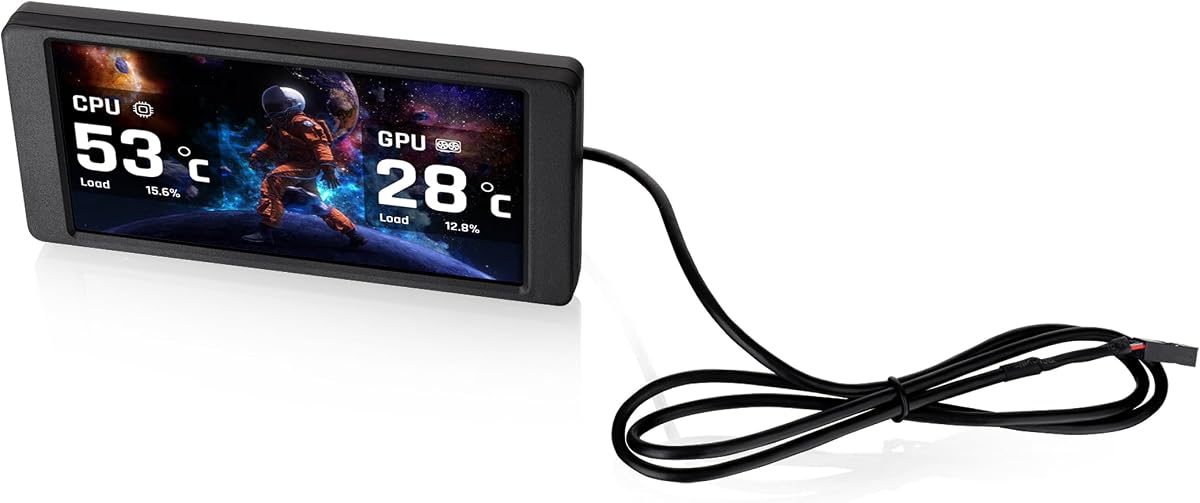
Thermalright offers a streamlined solution with the Trofeo Vision which balances size and performance effectively. It is a great choice for those who want system stats without a bulky or complex installation process.
We may earn a commission when you buy through this link, at no additional cost to you.
The USB-C connection simplifies cabling while the TRCC software provides a user friendly interface for customization. This makes it accessible for users who might not want to dive into complex configuration files.
While it works well with standard setups ensure you download the latest software for optimal performance. Some features rely heavily on the software running so keep that in mind for system resource management.
If you want a clean and efficient display this is a strong contender for your build. It adds a modern touch to your PC interior without compromising on readability or style.
Use the USB-C interface to reduce cable clutter inside your computer case.
The TRCC app makes it easy to switch themes and monitor data without complex setups.
We may earn a commission when you buy through this link, at no additional cost to you.
This kit is tailored for Thermaltake View series cases offering a seamless integration into specific chassis designs. It allows for detailed monitoring and customization using the brand's proprietary RGB software ecosystem.
We may earn a commission when you buy through this link, at no additional cost to you.
The screen supports various graphic formats and real time system data so you can keep an eye on performance easily. It stands alone which means it does not need a main GPU for basic operation in some modes.
However the compatibility is limited primarily to Thermaltake View 370 and 390 models so check your case model carefully. The smaller screen size might also limit how much data you can display comfortably.
For owners of compatible cases this is an efficient way to enhance the look and utility of the rig. If you are not using one of these specific cases look elsewhere for broader mounting options.
Designed to fit perfectly into View 370 and 390 cases for a factory-like finish.
Upload custom graphics and videos to personalize the display area extensively.
We may earn a commission when you buy through this link, at no additional cost to you.
GeeekPi offers a premium feel with its large 12.6 inch touchscreen that supports up to 10 points of touch input. It is an ideal choice for users who want a robust display within their Hyte Y60 case.
We may earn a commission when you buy through this link, at no additional cost to you.
The built-in speakers add convenience so you do not need separate audio devices for media playback. It supports both horizontal and vertical orientations giving you flexibility in how you use the panel.
Installation is straightforward but be sure to remove the protective film before using it for the best experience. Also ensure your power supply meets the requirements to run the screen without issues.
For those seeking a high tech addition to a Hyte Y60 build this is a top recommendation. It combines touch, audio, and display in one integrated package effectively.
Up to 10-point multi-touch allows for complex gestures and responsive control on the screen.
Dual built-in speakers remove the need for external audio cables or devices inside the case.
We may earn a commission when you buy through this link, at no additional cost to you.
The unique magnetic suction design of this screen allows for easy installation without needing to drill or screw into your case. This makes it incredibly flexible for those who change up their setup often.
We may earn a commission when you buy through this link, at no additional cost to you.
It connects via USB Type-C which keeps cable management clean while still providing reliable power and data transfer. The IPS panel ensures colors remain vibrant and consistent from different viewing angles.
You must rely on TRCC software to manage the display and control its power states. This dependency means if the software crashes the screen might not turn off automatically without a manual reset.
This model is perfect for modders who want a clean install with minimal permanent changes. If you like to experiment with different case layouts this magnetic feature is a huge plus.
Secure the screen using magnetic suction without the need for screws or brackets.
Move the screen freely within the case to find the perfect viewing angle for your needs.
We may earn a commission when you buy through this link, at no additional cost to you.
This smaller 6.86 inch version offers a compact alternative for cases where space is tight. It maintains the same magnetic design so you can place it on coolers or panels easily.
We may earn a commission when you buy through this link, at no additional cost to you.
The resolution is lower than larger models but still adequate for simple stats or logos. It supports dynamic and static images which lets you keep the visual appeal high despite the size.
Since it is small it is better suited for basic monitoring rather than complex dashboards. Make sure you check the connector type before buying as it uses USB Type-C for power and data.
If you have limited space or just want a subtle addition to your build this is a solid option. It brings customization to smaller areas without overwhelming the case interior.
The 6.86 inch footprint fits into tight spaces where larger screens would not.
Use TRCC software to upload your own static or dynamic images for a personal touch.
We may earn a commission when you buy through this link, at no additional cost to you.
Selecting the right display involves considering size, software, mounting, and connectivity. This guide breaks down the key factors to help you make an informed choice.
Larger screens offer better visibility but may obstruct airflow or hardware. Resolution affects how sharp text and graphics appear on the panel.
Choose a size that fits your case interior without blocking components and resolution that meets your clarity needs.
Some displays come with proprietary apps to control themes and stats while others rely on third party software. Ensure the software is user friendly and supports your OS.
Look for software that allows custom themes and real time updates for the best experience.
Mounting brackets can be universal or case specific. Magnetic mounts offer flexibility but might not be as secure as screw in brackets.
Pick a mounting style that aligns with your case design and stability preferences.
Connectivity varies from USB-C to 9-pin headers or HDMI. Ensure your motherboard has available ports or headers for the chosen connection.
USB-C offers simplicity while headers avoid using external USB ports for a cleaner look.
Some models include built in speakers for multimedia playback. This adds convenience but may limit audio quality compared to external setups.
Check for speakers if you want to play media directly from the screen without extra cables.
Advanced users might want to upload custom GIFs or videos to the screen. Ensure the software supports the file formats you want to use.
Look for options that allow dynamic themes and video playback for maximum personalization.
Some displays require specific OS versions like Windows 10 or 11. Linux users should check compatibility carefully before buying.
Confirm your operating system matches the software requirements to avoid connectivity issues.
Most screens draw power from the USB bus which can add to your overall system load. Ensure your power supply can handle the additional draw easily.
Opt for energy efficient models to keep heat and power usage within reasonable limits.
First install the screen according to the mounting instructions ensuring it is secured firmly. Connect the USB or header cable to the motherboard or power source as specified.
Next install the provided software on your PC to customize the display. Upload images or themes you wish to show and set up your system monitoring widgets.
Finally regularly check for software updates to maintain performance and stability. Dust off the screen gently with a soft cloth to keep it looking clear and sharp.
Most screens use USB or motherboard headers so they do not need a dedicated GPU connection. This leaves your main graphics card ports free for your primary monitor.
Some models work with Linux but many rely on Windows only software. Check the specific requirements before purchasing if you use a Linux based system.
Mounting brackets vary so check if the model includes universal ones or specific case adapters. Some use magnetic mounts while others screw directly into fan mounts.
They use minimal resources but the accompanying software does run in the background. For most users this impact is negligible on modern hardware.
Many models support GIF and MP4 files through their proprietary software. Check the supported formats list to ensure your media files are compatible.
Most screens are plug and play but you must install software for customization. Follow the manual carefully to avoid connection errors during setup.
We have reviewed ten top models ranging from compact displays to large bar screens. Each offers unique benefits depending on your case and customization goals.
Prioritize software compatibility and mounting fit to ensure the screen works seamlessly with your system. Touch and audio features add extra value if you need those functions.
Always check current availability and verify that your case has enough clearance. This ensures you get the best performance and fit for your new display.