
Supershieldz (3 Pack) Anti-Glare (Matte) Screen Protector Designed for MacBook Pro 14 inch
4.4Editor score
Japanese PET film material
No residue removal
Includes three protectors
This guide compares the top anti glare screen protectors for laptops to help you reduce eye strain and shield your display from scratches and fingerprints.
Protecting your laptop screen from glare and scratches is essential for maintaining clarity and reducing eye strain during long work sessions. A high quality screen protector blocks harmful light while keeping your display clean and free from fingerprints.
We evaluated ten top rated protectors based on glare reduction, blue light filtering, installation ease, and compatibility with popular laptop models. Each option was carefully selected to meet the needs of students, professionals, and casual users alike.
Every pick includes detailed specs, pros, cons, and real user feedback to help you choose the right fit. Keep in mind that availability and pricing can change, so verify details before purchasing your preferred model.
4.4Editor score

4.2Editor score

4.0Editor score
This side-by-side comparison highlights key specifications and features across all ten selected protectors. Use this table to quickly identify which model matches your laptop size and performance needs.
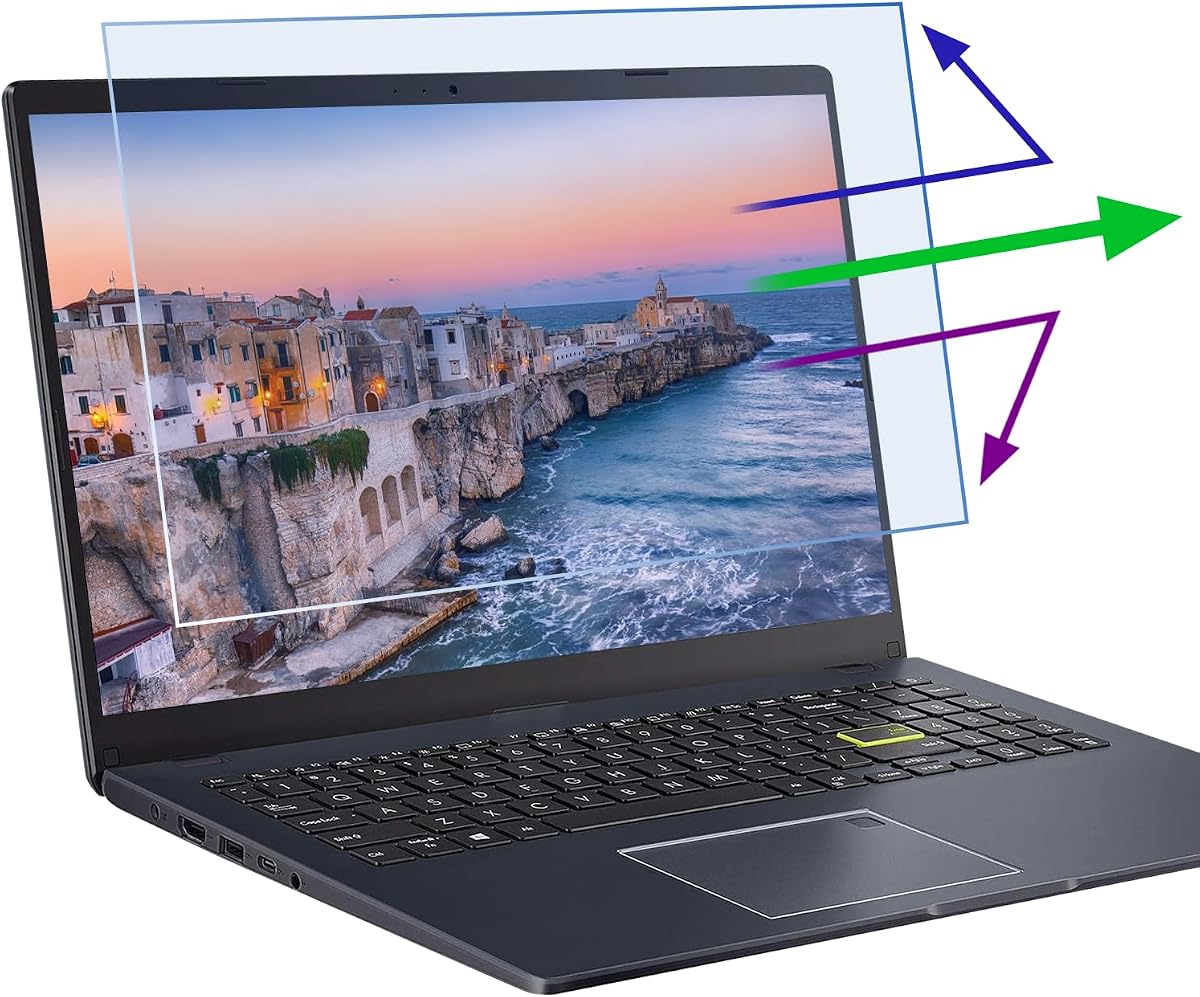


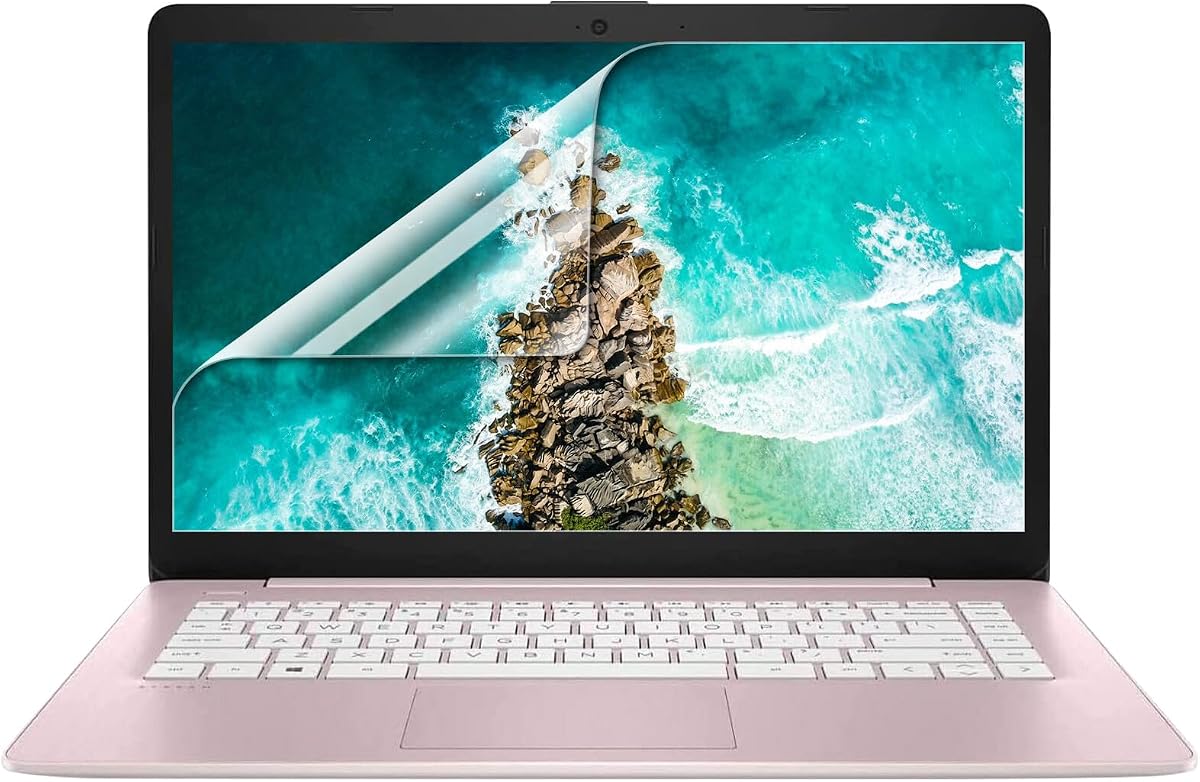


The F FORITO 2-Pack offers exceptional protection for 15.6 inch laptops with a 16:9 aspect ratio. Its 9-layer blue light filtering technology stands out as a top feature for reducing eye fatigue during long hours of work or study.
We may earn a commission when you buy through this link, at no additional cost to you.
Users praise the advanced anti-glare technology that minimizes reflections from sunlight or bright indoor lighting. The smooth surface resists fingerprints and smudges, making it easy to keep your display clean without constant wiping.
While installation is generally straightforward with the nano-silicone layer, users must measure their screen carefully to ensure compatibility. Some report a very slight tint which is minimal but worth noting for color-sensitive tasks.
This protector is ideal for professionals and students who prioritize eye health and display clarity. Its combination of blue light filtering and glare reduction makes it a standout choice for daily laptop use.
The layered filtering system effectively reduces blue light exposure, helping to prevent headaches and strain during extended screen time.
The automatic bubble absorption layer simplifies setup, allowing most users to apply the protector cleanly without professional help.
We may earn a commission when you buy through this link, at no additional cost to you.
This 14 inch protector is designed specifically for laptops with a 16:10 aspect ratio, making it a niche but excellent option for certain modern devices. Its multi-layer blue light filtering delivers solid protection at a very competitive price point.
We may earn a commission when you buy through this link, at no additional cost to you.
The adhesive system leaves no residue upon removal and ensures the protector doesn't interfere with touchscreen responsiveness. Users appreciate the bubble adsorption design that allows small air pockets to disappear with a light press.
Although it offers great value, buyers must verify their screen's aspect ratio since it will not fit 16:9 models. The packaging is basic but functional, providing all necessary tools for a clean installation.
Students and casual users seeking eye protection without breaking the bank will find this model particularly appealing. It balances affordability with effective glare and blue light blocking capabilities.
Despite the low cost, this protector delivers reliable blue light filtering and scratch protection that rivals more expensive options.
The ultra-thin design preserves full touch sensitivity, ensuring smooth interaction with touch-enabled laptops without added bulk.
We may earn a commission when you buy through this link, at no additional cost to you.
The Peslv 3 Pack stands out with an impressive 99.3% blue light blocking rate and precision die-cutting accurate to 0.01mm. This level of detail ensures a seamless fit without interfering with your laptop's closure.
We may earn a commission when you buy through this link, at no additional cost to you.
Imported materials from Japan provide durable and ultra-thin protection that maintains display clarity. The included value pack offers multiple protectors and cleaning kits, ensuring you always have a spare ready for future use.
While some users report a lower overall rating compared to competitors, the comprehensive warranty and high-quality materials justify its premium positioning. Patience during installation yields a clear, bubble-free result.
If you prioritize maximum blue light filtering and are willing to invest in a premium package, this model delivers strong long-term value. The lifetime warranty adds significant peace of mind for frequent travelers or heavy users.
With nearly all blue light blocked, this protector significantly reduces digital eye strain for those with sensitive vision.
Three protectors and cleaning kits ensure long-lasting coverage and easy replacement without additional purchases.
We may earn a commission when you buy through this link, at no additional cost to you.
Designed specifically for MacBook Pro 14 inch models, this protector offers a perfect fit for Apple users seeking reliable screen protection. Its Japanese PET film ensures durability and easy installation without leaving sticky residue.
We may earn a commission when you buy through this link, at no additional cost to you.
The anti-glare matte finish effectively reduces fingerprints and reflections, keeping the screen looking clean. Each pack includes three protectors, offering excellent value for users who want backups or plan to rotate them.
While it works seamlessly with touch and trackpad gestures, it is exclusively made for MacBook Pro screens and may not fit other devices. Users should ensure their model matches before purchasing to avoid compatibility issues.
Apple device owners will appreciate the precise fit and high-quality materials that preserve the laptop's sleek design. The inclusion of multiple protectors adds convenience for long-term maintenance.
Tailored dimensions ensure a seamless fit for MacBook Pro 14 inch models without interfering with the hinge or bezel.
Japanese PET film offers superior clarity and scratch resistance compared to standard plastic alternatives.
We may earn a commission when you buy through this link, at no additional cost to you.
This versatile protector targets a wide range of 15.6 inch laptops from major brands like HP, Dell, Lenovo, and ASUS. Its oleophobic layer helps prevent fingerprints and smudges, keeping your screen clear.
We may earn a commission when you buy through this link, at no additional cost to you.
The matte finish reduces glare effectively in bright environments, enhancing visual comfort for users. Installation guides and videos are included to assist with a smooth setup process, though results may vary by screen texture.
Some users report challenges with bubble removal or adhesion consistency, which might require careful alignment during application. Despite this, the price point makes it a practical choice for temporary or budget-conscious protection.
For owners of common laptop brands seeking a straightforward solution, this model offers broad compatibility. Always double-check your exact model to ensure the dimensions match before ordering.
Supports a wide range of major brands, making it a reliable choice for users with standard 15.6 inch laptops.
The oleophobic layer resists oily smudges, keeping the screen cleaner and reducing the need for frequent wiping.
We may earn a commission when you buy through this link, at no additional cost to you.
This privacy screen uses micro-louver technology to limit viewing angles, ensuring sensitive data remains visible only to the user. It also doubles as a blue light filter, offering dual protection for eye health and privacy.
We may earn a commission when you buy through this link, at no additional cost to you.
The reversible design allows users to choose between matte or glossy surfaces based on their preference for glare reduction or brightness. Removable tabs make it easy to slide the filter in and out when privacy is not needed.
While it provides strong security, the screen will appear darker from straight-on views compared to standard protectors. This trade-off is generally acceptable for those working in public spaces or handling confidential documents.
Professionals who travel frequently or work in open offices will find this model particularly useful. The lifetime support policy adds confidence for buyers concerned about product longevity.
Micro-louver technology restricts side viewing to prevent unauthorized access to sensitive information on your screen.
Combines privacy filtering with blue light reduction, addressing both data security and eye comfort in one device.
We may earn a commission when you buy through this link, at no additional cost to you.
F ORITO's 14 inch protector is tailored for laptops with a 16:9 aspect ratio, ensuring a snug and secure fit. The matte finish reduces glare effectively, making it easier to view content in various lighting conditions.
We may earn a commission when you buy through this link, at no additional cost to you.
Users report that the nano-silicone layer helps eliminate bubbles during installation, resulting in a smooth appearance. The durable materials protect against daily scratches while maintaining high light transmission for vibrant colors.
While the process is straightforward, ensuring the screen is perfectly clean before application is critical for best results. Any dust can lead to small imperfections, so follow the included cleaning steps carefully.
This option is ideal for users with compact 14 inch laptops who need reliable glare reduction. The included cleaning tools simplify setup and help maintain long-term clarity.
True-to-source visuals ensure your display maintains its original brightness and vibrant color accuracy.
Crafted from high-grade materials, this protector withstands daily wear and resists fingerprints and smudges.
We may earn a commission when you buy through this link, at no additional cost to you.
Specifically engineered for Microsoft Surface Laptop models 1 through 5, this protector uses a black frame silicone seal for secure attachment. The design ensures a bubble-free installation while preserving full touch sensitivity.
We may earn a commission when you buy through this link, at no additional cost to you.
With nearly 70% blue light blocking, it helps reduce eye strain during prolonged use. The fingerprint-resistant surface keeps the display clean and clear, which is essential for professional environments.
Buyers must verify their Surface generation as it does not fit 6th gen models. This specificity guarantees a perfect fit but means users must double-check compatibility before purchase to avoid mismatches.
Surface users will appreciate the tailored design that complements the device's sleek profile. The after-sales support provides reassurance if any installation issues arise.
Tailored for Surface Laptops 1-5, ensuring precise alignment and secure fit with the frame seal.
Combines blue light filtering with touch accuracy for a seamless user experience on Surface devices.
We may earn a commission when you buy through this link, at no additional cost to you.
This 15.6 inch protector targets common Dell, HP, Lenovo, and MSI laptops with a matte finish that reduces glare and fingerprints. Made from Japanese PET film, it offers durability and clear visibility.
We may earn a commission when you buy through this link, at no additional cost to you.
The pack includes three units, allowing for replacements or backups as needed. It adheres without leaving residue upon removal, making it easy to swap out without damaging the screen.
Because it is designed for a range of brands, slight dimensional variances may occur. Users may need to verify exact measurements to ensure a perfect fit without overhang or gaps.
For owners of standard 15.6 inch laptops seeking reliable protection at a reasonable price, this model is a solid choice. The multi-pack adds practical long-term value.
Includes three protectors, ideal for users who want spares or plan to upgrade their setup later.
High quality adhesive ensures no sticky residue remains after removal, preserving screen cleanliness.
We may earn a commission when you buy through this link, at no additional cost to you.
This protector focuses on HP Envy, Pavilion, and EliteBook models with a 7-layer filtering design that blocks UV and blue light. Its ultra-thin 0.15mm profile ensures it stays barely noticeable when installed.
We may earn a commission when you buy through this link, at no additional cost to you.
Users appreciate the bubble adsorption system that allows air pockets to self-correct with light pressure. Cleaning tools are included to ensure dust-free application, resulting in a smooth finish.
While primarily optimized for HP laptops, it may fit other 15.6 inch models with similar dimensions. Packaging is simple but functional, focusing on delivering core protection features without extra bulk.
For HP users seeking a lightweight solution for eye protection, this model delivers strong value. The dual pack ensures you have a backup available for future needs.
At just 0.15mm thick, the protector remains virtually invisible while still providing robust light filtering.
UV400 protection adds an extra layer of safety for eyes by blocking harmful ultraviolet rays from the screen.
We may earn a commission when you buy through this link, at no additional cost to you.
Choosing the right screen protector depends on your laptop size, usage habits, and specific needs like blue light filtering or privacy. Consider these factors to find the best match.
Always verify your laptop's screen dimensions and aspect ratio before purchasing. A protector designed for 16:9 may not fit 16:10 models and vice versa. Measuring width and height manually ensures the best fit.
Always measure your screen's width and height to confirm compatibility with the protector's dimensions.
If you spend hours on your laptop, a blue light filter can reduce eye strain and improve sleep quality. Look for products that specify their filtering percentage to gauge effectiveness.
Prioritize models with high blue light blocking rates if eye health is your main concern.
Matte anti-glare finishes diffuse ambient light to reduce harsh reflections. This is crucial for working in bright environments or near windows where glare is common.
Choose matte finishes if you often use your laptop in well-lit or outdoor settings.
For those handling sensitive data, privacy filters limit viewing angles to prevent bystanders from reading your screen. These often come with adjustable or removable options.
Invest in a privacy screen if you frequently work in public spaces like cafes or offices.
Protectors with bubble adsorption layers or silicone seals simplify setup. Look for options that come with cleaning kits to avoid dust during application.
Select protectors with automatic bubble removal features if you prefer hassle-free installation.
For touch-enabled laptops, ensure the protector is labeled as touchscreen compatible to avoid losing responsiveness. Thin materials generally work best here.
Check for explicit touchscreen support if you use your laptop with a stylus or fingers.
Scratch-resistant materials prolong the life of your device. A warranty can provide extra reassurance for long-term protection.
Look for scratch-resistant claims and lifetime or limited warranties for added value.
Some protectors are made specifically for brands like MacBook, Surface, or HP. Ensure you select a model designed for your specific device family.
Confirm brand and model compatibility to avoid return issues or fit problems.
Start by thoroughly cleaning your laptop screen with the provided cloth to remove dust and oils. A clean surface ensures the protector adheres properly without trapped particles.
Align the protector with your screen edges before pressing down gently. If bubbles form, use light pressure to push them toward the edge or lift and reapply if needed.
Regularly clean the protector with a microfiber cloth to maintain clarity. Avoid harsh chemicals that could damage the anti-glare coating over time.
Matte protectors diffuse light slightly, which can reduce perceived brightness in dark rooms. However, this trade-off minimizes reflections in bright environments, enhancing readability.
Yes, many protectors are designed to be touchscreen compatible without affecting sensitivity. Check the product details to confirm touch support for your specific model.
Use the provided cleaning kit to remove dust. Align carefully and press gently, allowing bubble adsorption layers to smooth out air pockets naturally.
For users who spend long hours on laptops, blue light blockers can reduce strain and improve sleep. They are especially helpful for frequent workers or students.
Privacy screens block side views significantly but still allow clear viewing from the front. They are designed to limit visibility beyond a specific angle range.
Replace your protector when it shows scratches, peeling, or significant damage. For regular users, inspecting it every six months is recommended.
The ten protectors reviewed here offer strong protection options for various laptop sizes and user needs. Top picks like the F FORITO 2-Pack and Supershieldz deliver exceptional value and performance.
Prioritize blue light filtering if you experience eye strain, or choose a privacy filter for enhanced data security. Ensure compatibility with your laptop model to maximize effectiveness.
Prices and availability change often, so verify current details before purchasing. Investing in a quality protector now can save costs and protect your device in the long run.